Services overview
Services lists the capabilities available to the selected app. Select a service row to open its configuration and operational history. You do not need to configure every service.
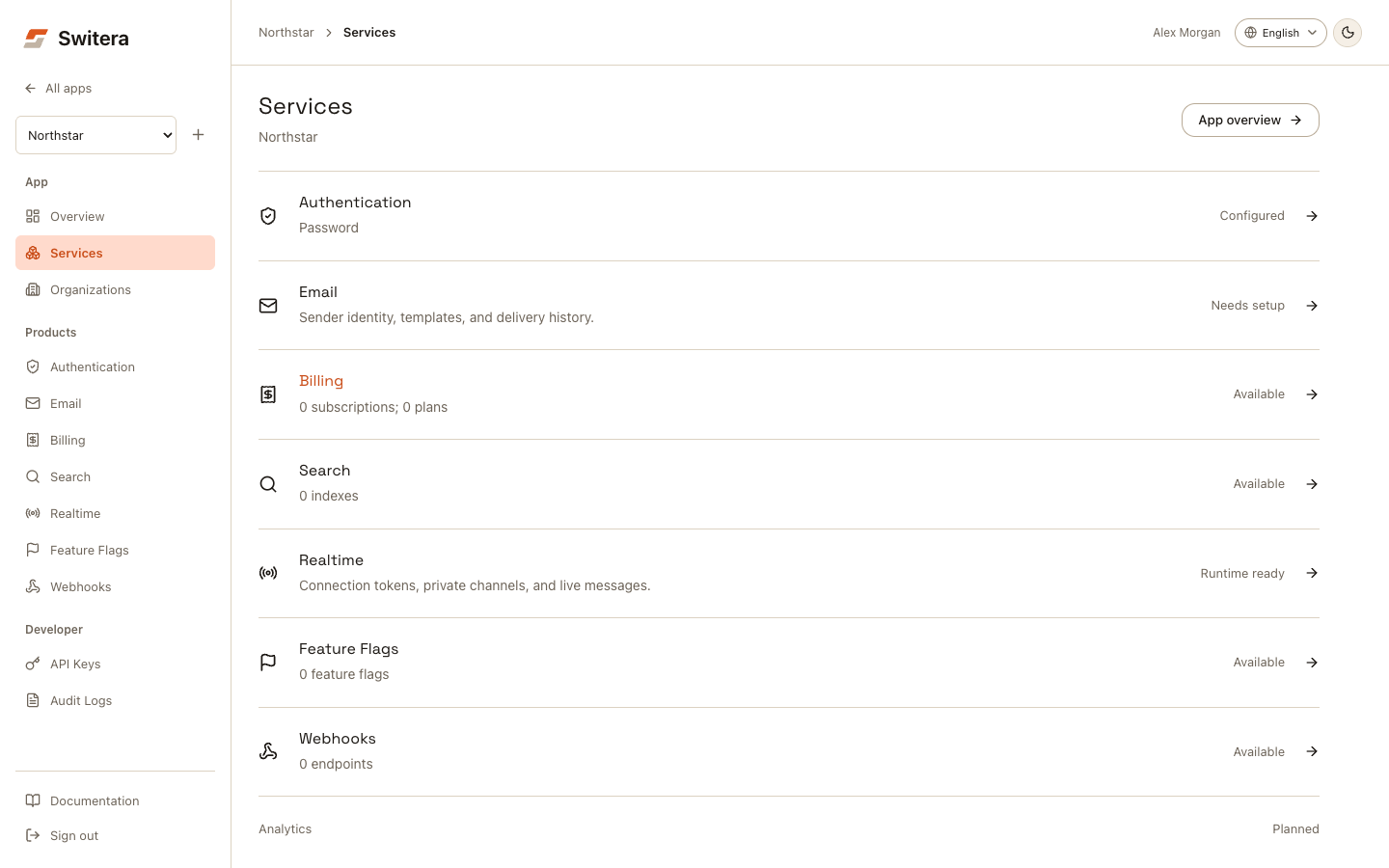
What belongs in Services
Use Services for product capabilities that affect end users, integrations, or runtime behavior:
| Service | Use it for | Configure before launch when |
|---|---|---|
| Authentication | Sign-in methods, providers, security controls, branding, organization access, hooks, and directory sync. | Users will sign in through Switera-hosted or Switera-connected flows. |
| Sender identity, templates, managed account emails, and workflow timing. | Users receive invitations, verification, recovery, or account notices. | |
| Billing | Customers, plans, subscriptions, retained usage, and invoices. | Customers need trials, paid plans, or usage tracking. |
| Search | App-owned indexes, tenant-scoped documents, and query testing. | Customers need to find content, records, or help articles inside an organization. |
| Webhooks | External event delivery and endpoint subscriptions. | Your backend or automation system needs to react to Switera events. |
| Realtime | Connection tokens, private channels, and live messages. | Your product needs live updates. |
| Feature Flags | Rollout rules and feature evaluation. | You need controlled releases or per-customer features. |
Services are app-scoped. Settings in one app do not automatically change another app.
Choose the first service
Start with Authentication when the product cannot be tested until users sign in. This is the usual first service for a new SaaS app.
Start with Email when invitations, verification, password recovery, or lifecycle emails are required before the first pilot.
Start with Billing when customer organizations need plan assignments, usage visibility, or invoice readiness before a pilot.
Start with Search when the first customer experience depends on finding tenant-owned content or records.
Start with Webhooks when a backend receiver must be ready before customer activity starts producing events.
Use setup states
Switera shows the evidence currently available for each service:
| Status | Meaning |
|---|---|
| Available | The console is available, with no app configuration records yet. |
| Configured / Plans, indexes, flags, or endpoints configured | Configuration exists; this does not prove successful runtime use. |
| Needs setup | Authentication has no enabled method, or Email has no sender address. |
| Runtime ready | The Realtime runtime reports ready; test an actual browser connection separately. |
| Needs attention | Email reports alerts, Billing has past-due subscriptions, or the Realtime runtime is not ready. |
| Couldn't load | The status request failed. Use Retry, then open the product for details. |
Authentication uses the same configuration rule on Overview, Services and Auth. An organization is not a sign-in prerequisite. Feature Flags opens its existing console; it is not a coming-soon capability. Analytics remains marked Planned.
Before changing a service, check:
- the selected app in the app switcher
- whether the app is a test, staging, or production-facing product
- whether the change affects end users immediately
- whether the team has a rollback path
- whether audit logs should be checked afterward
Safe service setup order
For most teams:
- Configure one sign-in method.
- Confirm hosted Auth pages look correct.
- Prepare sender identity and required emails.
- Create an organization if the product needs shared customer accounts or tenant-scoped services.
- Invite a small test audience.
- Add Search only after you know the first tenant-scoped data set.
- Add webhook endpoints only after the receiver is ready.
- Create or review backend API keys from a trusted machine when your backend needs API access.
- Review audit logs.
Avoid common setup mistakes
- Do not enable every sign-in option at once.
- Do not invite users before email templates and sender identity are reviewed.
- Do not subscribe a webhook endpoint to event types the receiver does not handle.
- Do not copy secret keys into frontend code or public issue trackers.
- Do not change production-facing settings while testing a separate app.
Related pages: